
Sell Your Samsung Galaxy
for Top Dollar Today.
Instant counter valuation for Samsung Galaxy S24, Z Fold, Z Flip, Galaxy Tab, and Book laptops. Walk in to 4620 Greenfield Rd, Dearborn, MI for immediate cash payout.
Engineered for Performance. Appraised for Real Cash.
.jpg)
Samsung Galaxy Z Fold 6
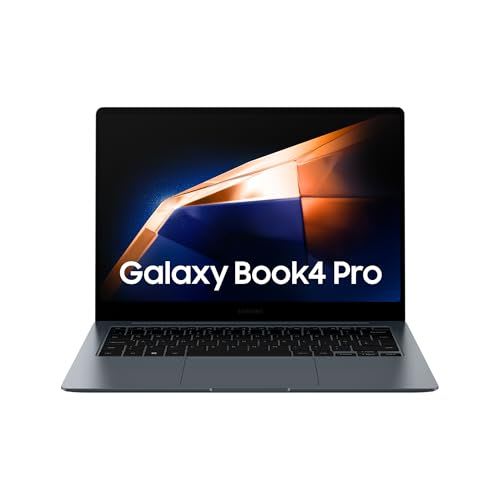
Samsung Galaxy Book 4 Pro 16"
Samsung Galaxy Tab S9 Ultra
Samsung Galaxy Watch 6 Classic
Samsung Galaxy Z Fold 6
Dual hinge, ultra-thin folding glass, Snapdragon 8 Gen 3
Samsung Galaxy Book 4 Pro 16"
Intel Core Ultra 7 155H, 16" Dynamic AMOLED 2X Touchscreen, AKG Quad speakers
Samsung Galaxy Tab S9 Ultra
14.6-inch Dynamic AMOLED 2X, S Pen included, IP68 water resistance
Samsung Galaxy Watch 6 Classic
Physical rotating bezel, Sapphire crystal, BioActive health sensor
All Samsung Models (9)
.jpg)
.jpg)
.jpg)
.jpg)
.jpg)
The MobileXphone Samsung Trade-In Experience
Everything you need to know about residual Samsung values, cosmetic grading criteria, and turning your unused hardware into guaranteed physical cash at our Greenfield Rd counter.
Why Samsung Hardware Holds Residual Value
Samsung hardware commands strong secondary-market interest when maintained in good working condition. Fast processors, quality displays, and ongoing software support help retain practical trade-in value.
Rather than navigating mail-in delays or multi-year carrier bill credits, MobileXphone provides straightforward on-site evaluation and immediate cash, Zelle, or Apple Pay payment at our Greenfield Rd counter in Dearborn, MI.
Condition Grading Explained
Your device evaluation is determined by four objective cosmetic and functional tiers:
- Brand New: Factory sealed in original unopened manufacturer packaging.
- Flawless: Pristine glass and enclosure with no visible marks; 100% operational hardware and biometric sensors.
- Good: Light surface wear from normal daily use; screen glass completely intact; full hardware functionality.
- Fair: Visible scratches, minor housing dings, or normal battery wear; fully functioning logic board and core features.
Preparing Your Samsung Device for Walk-In Payout
Remove Samsung Account & Google FRP Lock
Go to Settings > Accounts and backup > Manage accounts. Tap your Google and Samsung accounts and select 'Remove account' to release Factory Reset Protection.
Backup to Smart Switch or Cloud
Use Samsung Smart Switch via USB cable or wireless backup to secure your contacts, photos, and messages before resetting.
Perform Knox Factory Data Reset
Navigate to Settings > General management > Reset > Factory data reset. Confirm deletion to wipe internal memory clean.
Walk into Greenfield Rd Storefront
Present your device with your photo ID. S-Pen styluses and high-wattage Super Fast chargers increase your total offer.